






























Did I take my dose today?
Set a reminder, then check off your dose when you take it. No more trying to remember whether you did.
Never miss a dose. Track your progress, mood, side effects with IsoPal app.

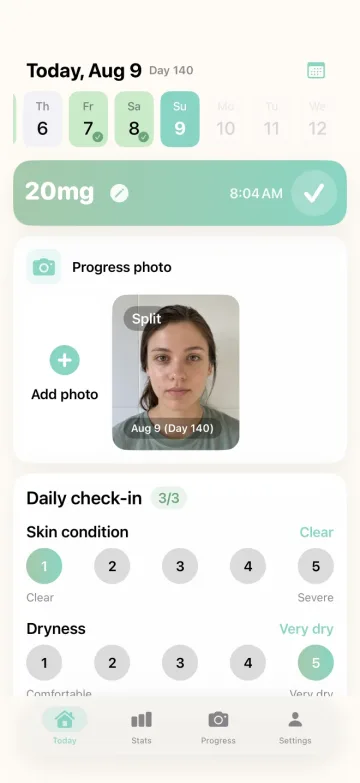
Your doses, how you’re feeling, and the progress that can be hard to see.
Set a reminder, then check off your dose when you take it. No more trying to remember whether you did.
Log your mood, skin, dryness, and side effects. Those quick daily check-ins give you something real to look back on.
See your cumulative dose, consistency, missed days, and trends without working any of it out yourself.
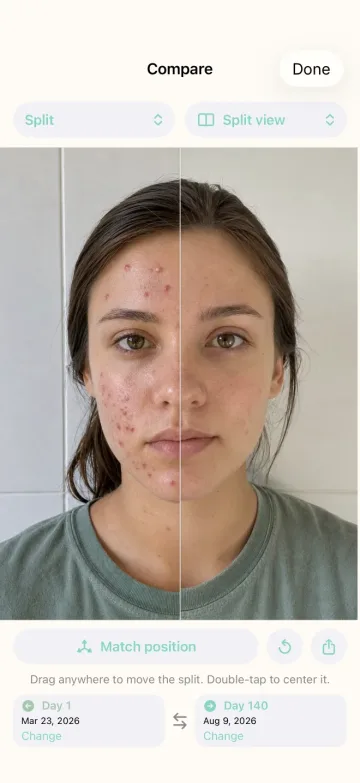
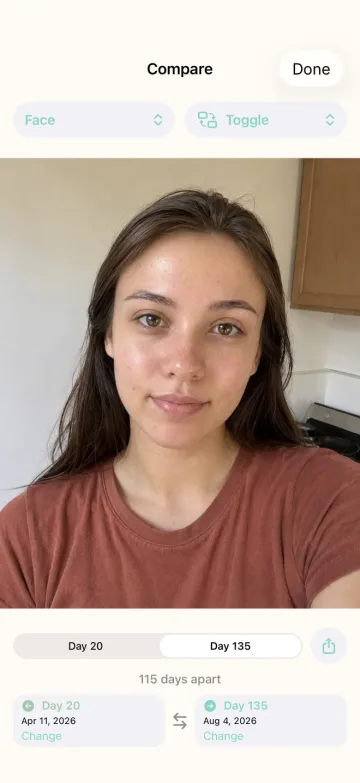
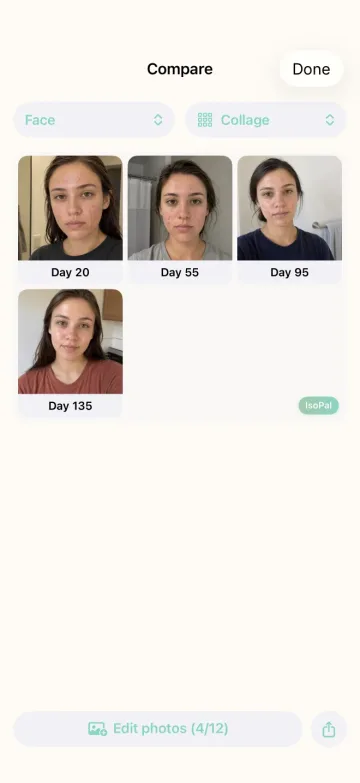
Put two photos side by side, switch between them, or make a collage. It’s much easier than trusting the mirror.
Everything you log stays on your phone. No account. No ads. Nothing sold to Meta. Obviously.
Changes can be hard to notice when you see your skin every day. Compare photos from different stages of treatment side by side, switch between them, or put several into a collage. You can also create a progress video.
Still need help? Email support@isopal.app.
IsoPal is an iPhone app made to make Accutane treatment easier to keep up with. It gives you one private place to remember doses, record how you are doing, and see changes over time.
Your daily dose, mood, skin condition, dryness, and side effects. You can also keep progress photos and see how your treatment is going over time.
Yes. Set one or more reminder times, then check off your dose when you take it. You can also keep your treatment day and dose visible with Home Screen and Lock Screen widgets.
Take or import photos as you go, add dates and body-area tags, then compare them using Toggle, Split, or Collage view. You can also turn selected photos into a progress video.
Dose tracking, reminders, daily check-ins, and widgets are available without Pro. Pro unlocks treatment stats, progress photos, comparisons, collages, videos, and exports.
Your treatment logs and photos stay on your iPhone. There is no IsoPal account, no advertising, and nothing sold to Meta.
No. IsoPal keeps a record of the treatment plan your prescriber gave you. It cannot recommend doses, diagnose side effects, or tell you when to stop treatment. Those decisions belong with your prescriber.
Your data is stored locally, so deleting the app may permanently remove your logs and photos. There is no IsoPal account or IsoPal cloud backup to restore them from.
IsoPal is a treatment tracking application, not a medical device or a substitute for professional medical advice, diagnosis, or treatment.
Always ask your physician or another qualified health provider about a medical condition, side effect, or treatment decision. Follow your prescriber’s guidance for all dose changes and decisions about stopping treatment.

Stay on top of doses, check in with your skin, mood, and side effects, and hold on to the progress that is easy to miss. No account required. Your treatment record stays on your device.